QPX
A standardized format and toolkit for mass spectrometry proteomics data



What is QPX?
QPX is a comprehensive ecosystem for proteomics data that provides:
- Standardized Data Format: Parquet-based format for efficient storage and processing of proteomics data
- Universal Converter: Convert data from OpenMS, MaxQuant, DIA-NN, Spectronaut, FragPipe, CPTAC CDAP, mzIdentML, and more
- Complete Toolkit: Process, analyze, visualize, and share your proteomics results
- Python API & CLI: Flexible tools for both programmatic and command-line usage
Architecture Overview
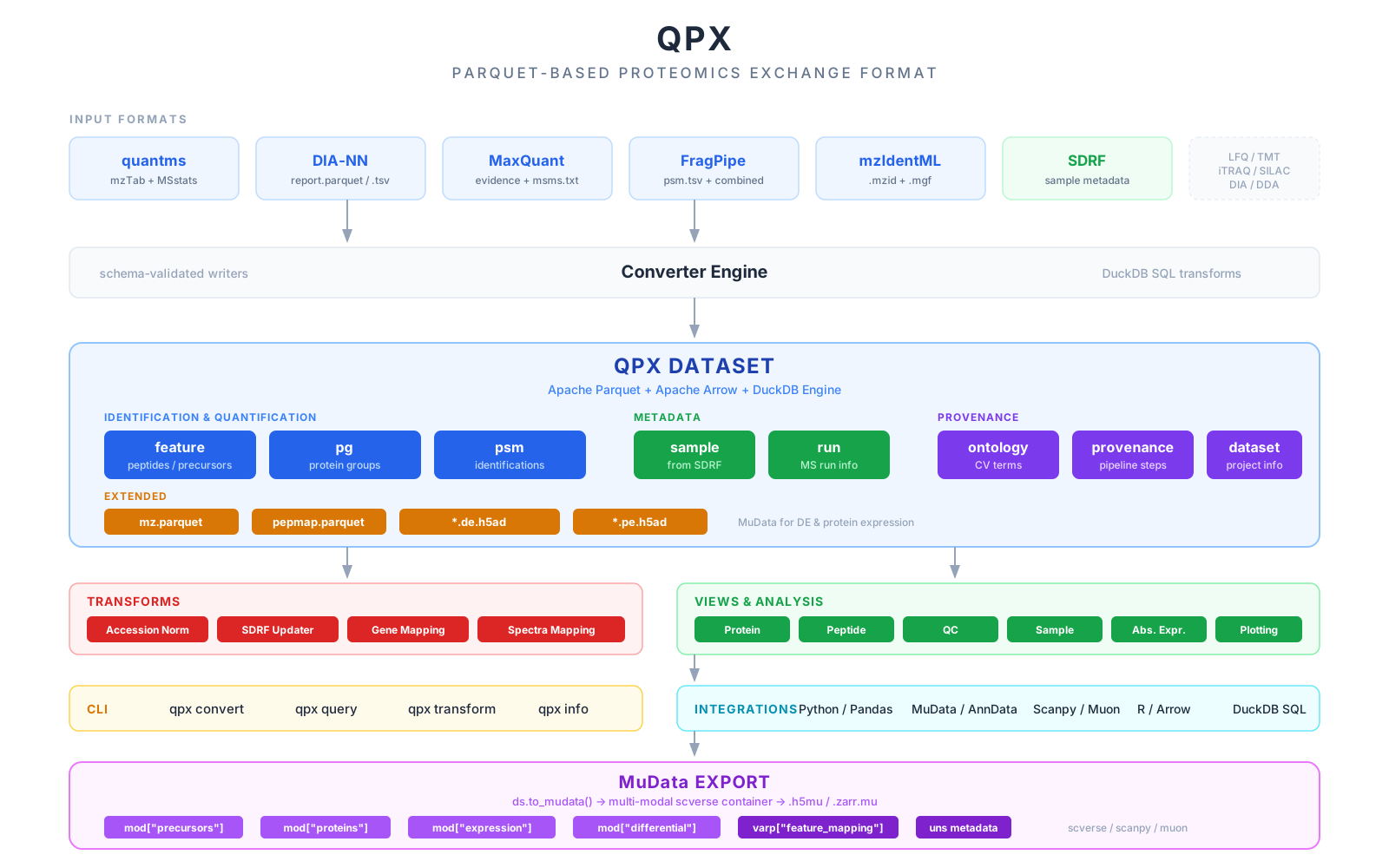
QPX provides a comprehensive proteomics data processing architecture with core modules for data conversion, transformation, visualization, statistical analysis, and project management.
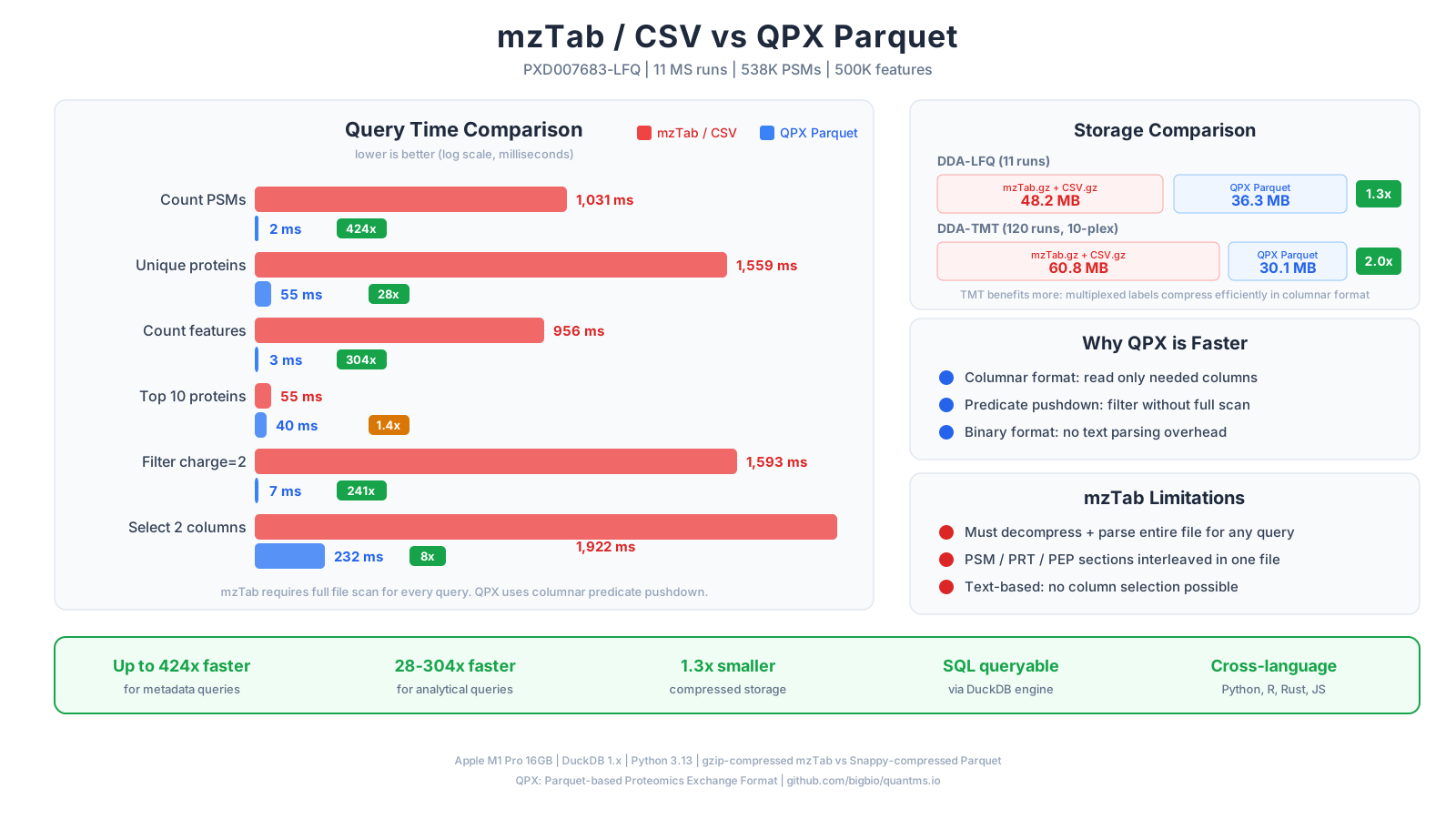
Performance
Supported Input Formats
| Software | PSM | Feature | Protein Group |
|---|---|---|---|
| MaxQuant | msms.txt | evidence.txt | proteinGroups.txt |
| DIA-NN | - | report.tsv | pg_matrix.tsv |
| Spectronaut | - | report.tsv | report.tsv (PG.Quantity) |
| FragPipe | psm.tsv | combined_ion.tsv | combined_protein.tsv |
| OpenMS native QPX | psm.parquet | feature.parquet | pg.parquet |
| OpenMS consensusXML | consensusXML | consensusXML | consensusXML |
| CPTAC CDAP | .psm | .psm reporter ions | feature-derived |
| mzIdentML | .mzid / .mzid.gz | - | - |
| SDRF | - | - | - (sample + run) |
All conversions produce standardized Parquet and AnnData files following the QPX specification.
Documentation
| Section | Description |
|---|---|
| Quick Start | Installation and basic usage |
| Format Specification | Data format schemas and specifications |
| User Guide | CLI reference and command documentation |
| Examples & Tutorials | Usage examples and integrations |
| Troubleshooting | Common issues and solutions |
| Community & Support | Get help, contribute, license & acknowledgments |
Ready to get started? Install qpx and check out the examples!